The cradle
The printed cradle that holds a bare Dabao on the board's spring probes, how it places the Dabao and holds it down, its heights, and how to fit it.
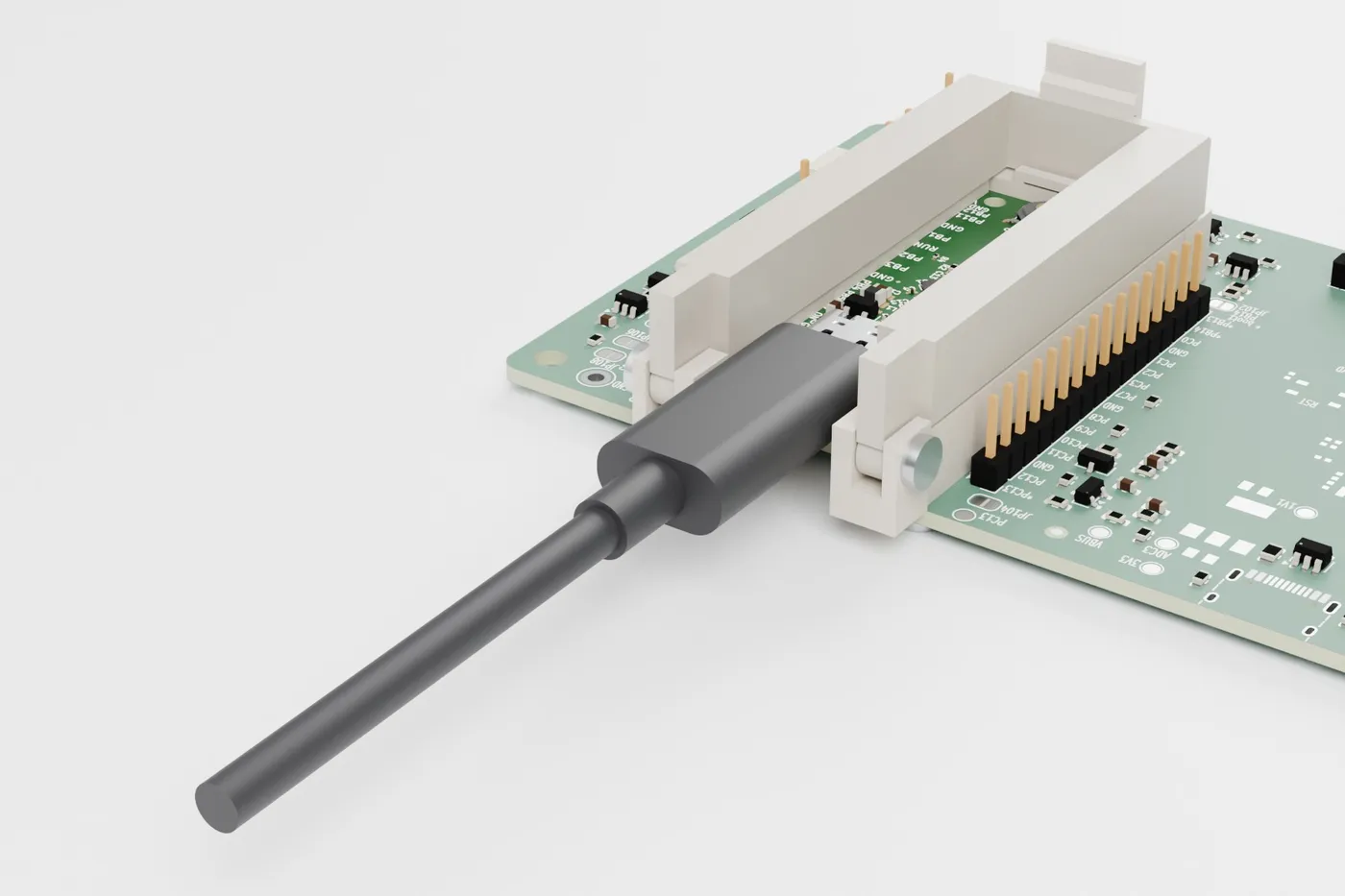
In the Probes build of the bench link board, a bare Dabao with no headers sits on 32 spring probes. A printed cradle holds it down on them. In the case it stands in the deck’s open bay; the Sockets build has no cradle.
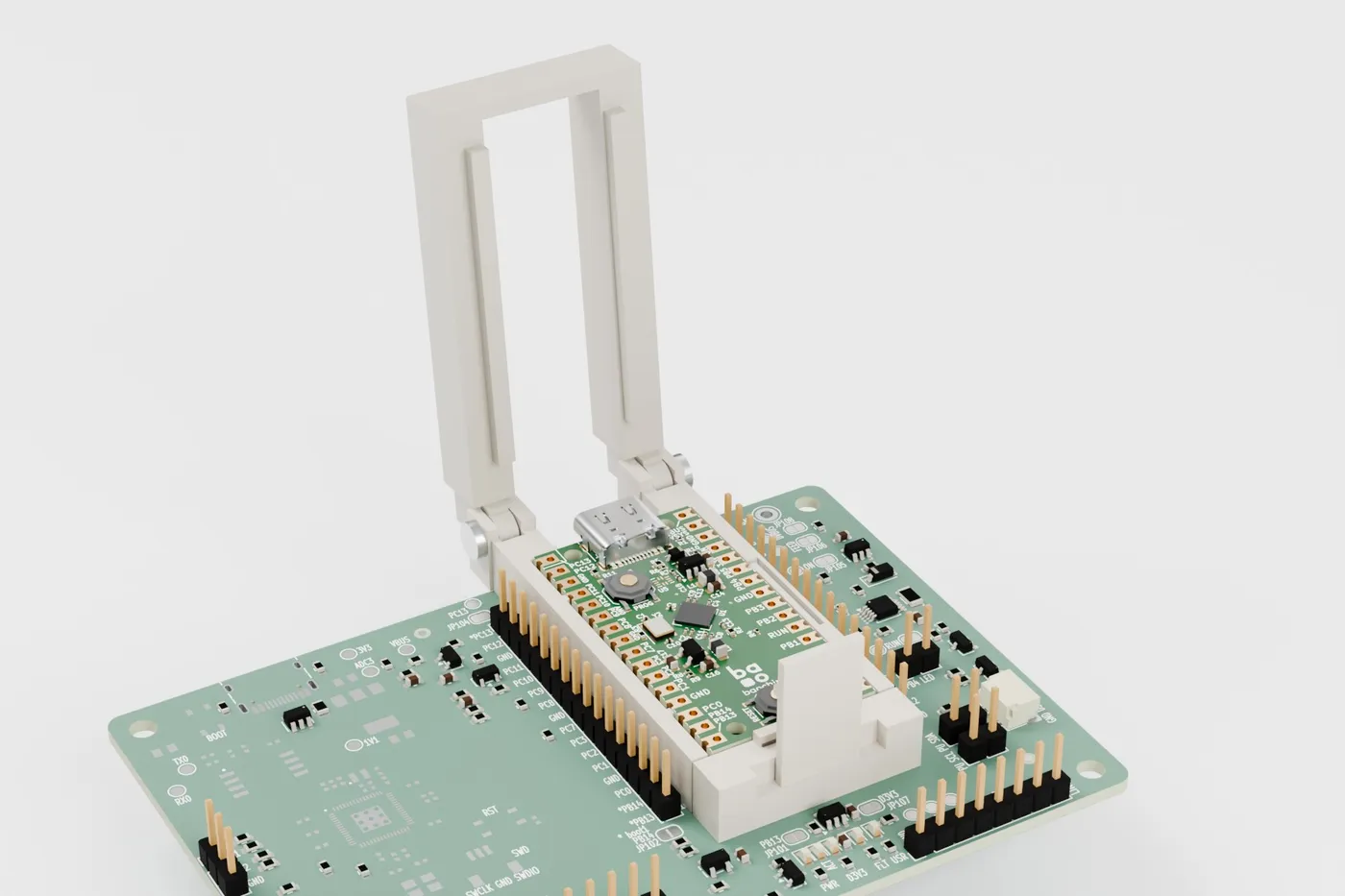
The cradle is two printed parts. The frame is screwed to the four 2.7 mm holes around the site. The lid is hinged on the frame at the USB-C end and latches at the back. The frame stands on the board’s top face: posts on the site’s four corners, and a rear block on the strip behind the site that the board keeps free of parts.
Locating the Dabao
The Dabao drops into a pocket in the frame. Two ribs on the left wall and two stops at the USB-C end mark its nominal outline. Two printed leaf springs, one in the right wall and one at the far end, push it onto them. That places a Dabao by its outline whatever its size within ±0.2 mm.
The pocket guides the Dabao by its edges, so it only moves up and down. When the lid presses it, the probes’ 90° cones go into its holes and centre it. They do not slide across its pads.
Holding it down
The lid has two pads, 2.2 mm wide, that press on the Dabao’s top over its pin rows. Those are the only strips of its top free of parts along its whole length. Nothing else touches it. The lid is open over the middle, so both of the Dabao’s buttons can be pressed with the lid closed.
The latch is a flexible fin at the back of the frame. Its lip snaps over the lid’s crossbar. Close the lid by pressing its back down until it clicks. Open it by pushing the top of the fin backwards with a thumb; the probes lift the lid. Open, it stops at about 96°.
The probes push with about 28 N in all when clamped: about 18 N on the latch and 15 N on the hinge.
Heights
The hinge and the latch hold the lid’s pads at 5.95 mm above the board. Every probe is then at about two thirds of its travel. Pressed harder, the lid stops on the frame 0.4 mm lower. With the lid open, a Dabao pushed down by a finger stops on the frame’s floor. No probe reaches the end of its travel either way.
A Dabao turned round
A Dabao turned by 180° puts its USB-C receptacle, which overhangs its edge by 1.16 mm, at the far end. There it lands on a bar 8.6 mm high. The Dabao lies tilted, its far end clear of the probes, and the lid cannot latch: it stays 2.65 mm high.
The near end can rest on the first pair of probes, at pins 1 and 40. These carry PC13, which the board only ever pulls low, and the pin 40 sense divider. Nothing on the board drives either.
The USB-C plug
The frame is open at the USB-C end, between the hinges. A plug with the largest overmould the USB Type-C specification allows, 12.35 x 6.5 mm, goes in with the lid closed.
Putting a Dabao in and out
- In: open the lid. Hold the Dabao by its edges, USB-C end towards the notch, and lower it flat into the pocket; the springs push it onto the ribs and stops. Press the lid’s back down until the fin clicks.
- Out: push the fin’s top backwards; the lid springs up. Swing it open and lift the Dabao by its USB-C receptacle with a fingernail, or by the plugged cable.
With the lid open, the probes lift the Dabao 1.7 mm. Its top is then 0.3 mm above the frame.
Fitting it to the board
Put the lid’s knuckles into the frame’s slots and screw an M2.5 x 6 through each side. Put the frame on the site, USB-C end at the notch, and start its four screws from below without tightening them. Put a Dabao in and close the lid: the probes centre the Dabao and the Dabao centres the frame. Then tighten the four screws gently.